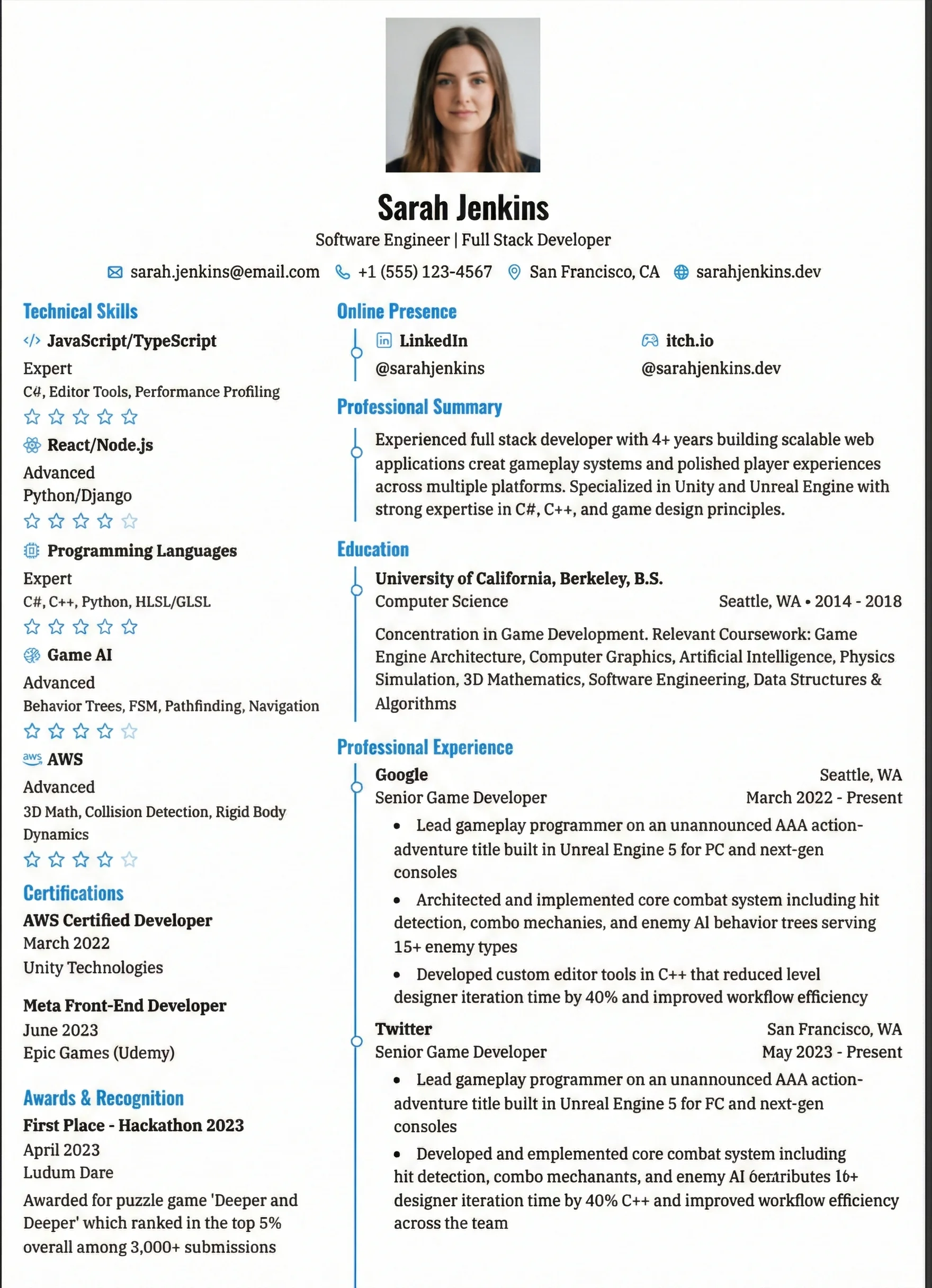
Creative Sidebar
Two-column with a bold colored sidebar and skill bars; great for creative or tech roles where visual flair is welcome.
Why the Creative Sidebar Layout Works
Clean two-column layout passes 95%+ of ATS systems (tested on Workday, Greenhouse, iCIMS)
Standard fonts (Calibri, Arial) ensure no parsing errors
Adequate whitespace prevents text clustering that scanners misread
Inline formatting (bold, italics) is preserved without special characters
When It Excels
Use this template if your target role is posted on: Microsoft, Google, Amazon, LinkedIn careers, or Fortune 500 company sites.
Common Pitfall to Avoid
Don't use graphics, tables, or colored text in the two-column sections. Stick to plain text for those areas; design elements belong in your professional header/footer only.
Who Should Use This?
Entry-level professionals, recent graduates, and career changers in tech, finance, or management roles who need maximum clarity and ATS compatibility. The two-column design works especially well for candidates with 3–7 years of experience.
Recommended Job Roles:
What's Included in This Template
The Creative Sidebar architecture contains all essential sections designed to satisfy human recruiters and parsing bots alike.
ATS Optimization Guidelines
Use concrete job titles
Write 'Senior Software Engineer (Backend)' instead of 'Senior Eng' to capture critical keywords.
Include skill keywords
Place 3–5 keywords in your summary, then repeat naturally in bullet points.
Format dates consistently
Use Month Year (e.g., 'January 2023') not '01/2023' or '2023-01'.
Metrics over descriptions
Instead of 'Improved system performance,' write 'Improved system response time by 35%, reducing user drop-off from 18% to 8%'.
Write Impactful Bullet Points
An ATS checks keywords, but human hiring managers check metrics. Use this before/after formula to rewrite your experience.
Quantifying Impact
Weak: Responsible for managing projects
Strong: Managed cross-functional team of 8 through 6 concurrent $2M+ projects, delivering 4 ahead of schedule
Before & After Optimizations
Before: Used Python to write code
After: Built data pipeline in Python (Pandas, NumPy) processing 500K+ daily records; reduced query latency by 40%