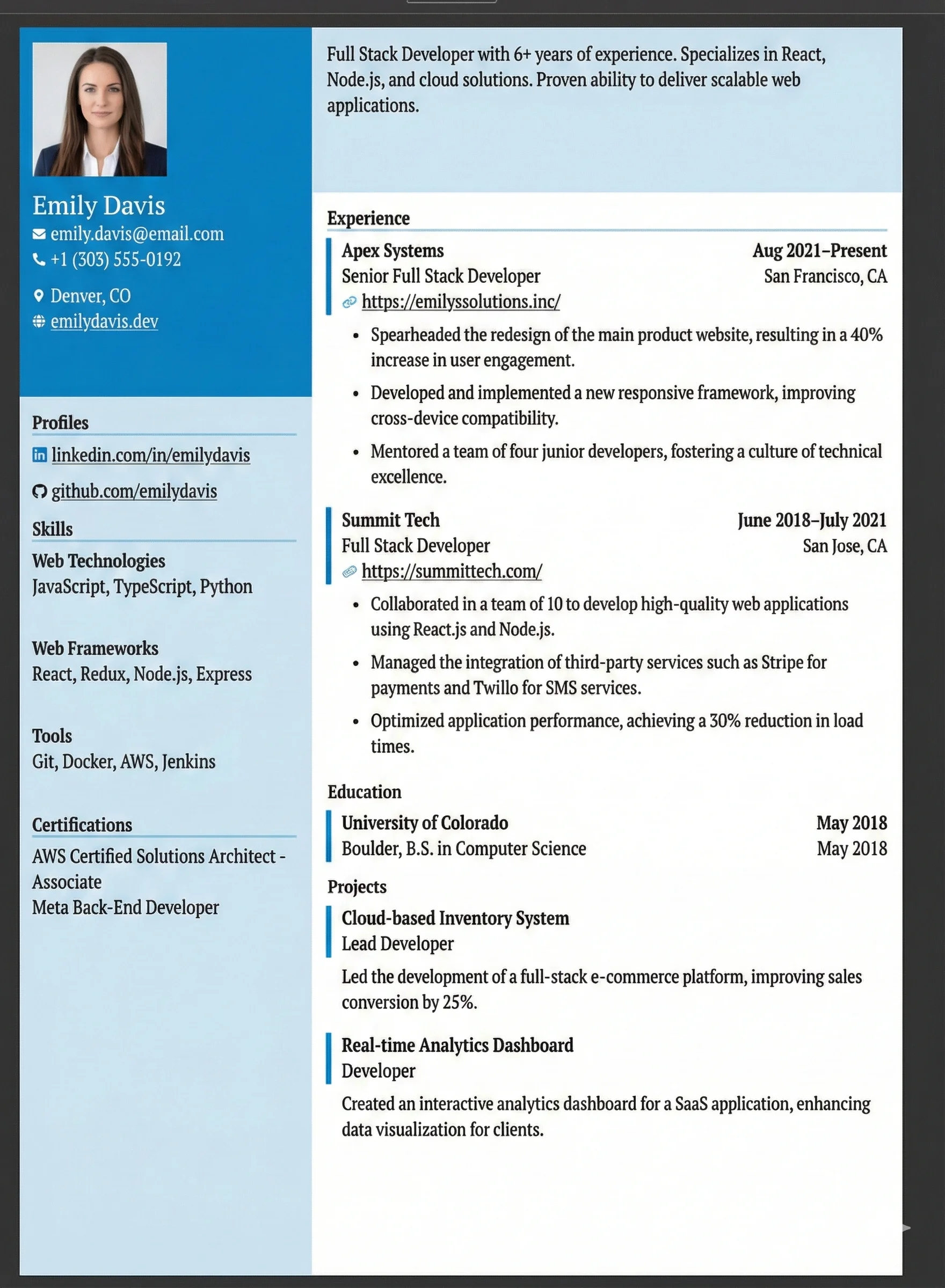
Tech Modern
Two-column with a dark teal sidebar and skills grid; modern feel for developers, data scientists, or technical PMs.
Why the Tech Modern Layout Works
Minimal design signals modern engineering capability without sacrificing ATS readability
Clear skills grid lets search engines instantly index technical keywords
Generous single-column focus is favored by recruiters at top tech firms
Prominently displays portfolio, GitHub, and open-source contribution links
Common Pitfall to Avoid
Avoid listing outdated technologies (e.g., Flash, ColdFusion) or using vague categories. Group skills clearly by Languages, Frameworks, and Tools.
Who Should Use This?
Software engineers, data scientists, DevOps specialists, QA automation engineers, and technical product managers who need to showcase technical skills and portfolios.
Recommended Job Roles:
What's Included in This Template
The Tech Modern architecture contains all essential sections designed to satisfy human recruiters and parsing bots alike.
ATS Optimization Guidelines
Format Skills by Category
Languages: Python, Go; Frameworks: React, FastAPI; Databases: PostgreSQL; Cloud: AWS.
Write Scale-Focused Bullets
Mention transaction volume, query latency reductions, or team size: e.g., 'Processed 1M+ daily transactions with 99.9% uptime'.
Link to Open Source & Projects
Include direct links to GitHub repositories or live demos, detailing your specific contribution.
Write Impactful Bullet Points
An ATS checks keywords, but human hiring managers check metrics. Use this before/after formula to rewrite your experience.
Quantifying Impact
Weak: Worked on backend system for payment processing
Strong: Architected and deployed payment processing microservice in Python (FastAPI) on AWS Lambda, reducing transaction latency by 40% and handling 1M+ daily transactions
Before & After Optimizations
Before: Used React to update UI
After: Re-architected legacy React application utilizing state-management optimizations; improved First Contentful Paint (FCP) by 1.2s