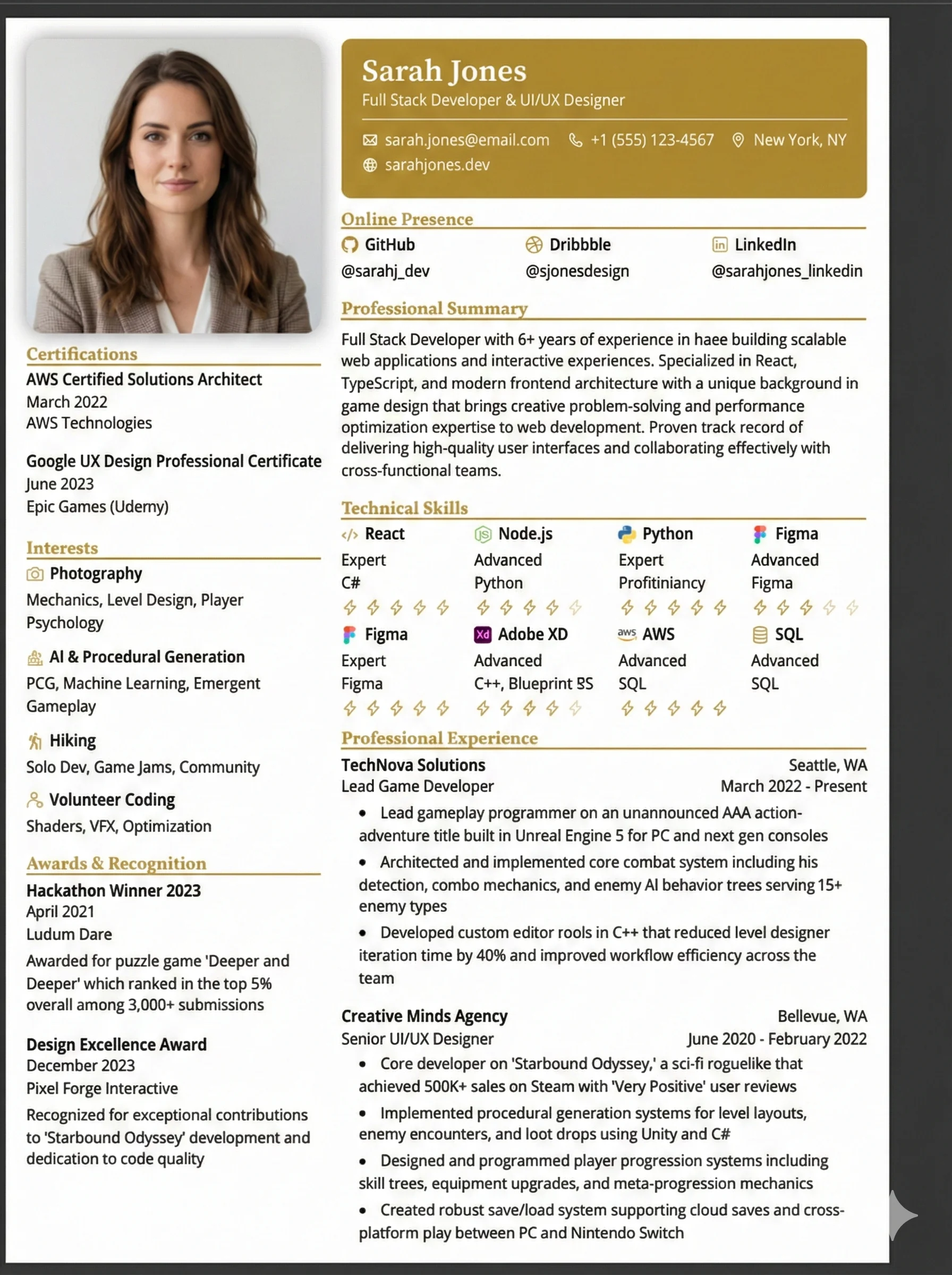
Creative Bold
Two-column with a left margin color; simple and approachable for creative, editorial, or junior roles.
Why the Creative Bold Layout Works
Shows visual hierarchy and typography design skills on the page
Balances creative presentation with clean, parsable text blocks
Highlight colors draw the human recruiter's eye to key achievements
Maintains ATS compatibility by avoiding embedded text in images
Common Pitfall to Avoid
Don't use more than 2 font families or low-contrast text. Ensure your accent color has at least a 4.5:1 contrast ratio against the background.
Who Should Use This?
UX/UI designers, graphic designers, copywriters, creative directors, and marketing/content managers who need to show design sensibility while remaining ATS-safe.
Recommended Job Roles:
What's Included in This Template
The Creative Bold architecture contains all essential sections designed to satisfy human recruiters and parsing bots alike.
ATS Optimization Guidelines
Limit the Palette
Choose one brand color accent. Keep the background clean, white, or very light.
Treat the Resume as a Sample
Recruiters judge your layout precision, grid consistency, and typography choices.
Provide Clean Portfolio Links
Use short, clickable URLs (e.g., 'portfolio.name.com') rather than long raw URLs.
Layout Pitfalls vs. Solutions
Avoid layout elements that crash parsing engines. Follow these formatting rules to stay safe.
| Creative Mistake | The Solution |
|---|---|
| ❌ Too many fonts (3+) | ✅ Max 2 complementary fonts |
| ❌ Low contrast text | ✅ Ensure 4.5:1 contrast ratio minimum |
| ❌ Busy background | ✅ Keep background white or very light |
| ❌ Inconsistent spacing | ✅ Use 8px or 16px grid system throughout |
| ❌ Outdated design trends | ✅ Avoid drop shadows, gradients, and skew effects |